Local SEO: how to show up on Google Maps and attract nearby customers
A practical local SEO guide. How to rank your business on Google Maps, the local pack and 'near me' searches to attract more customers from your area.
Your next customer is searching for you right now. Can they find you?
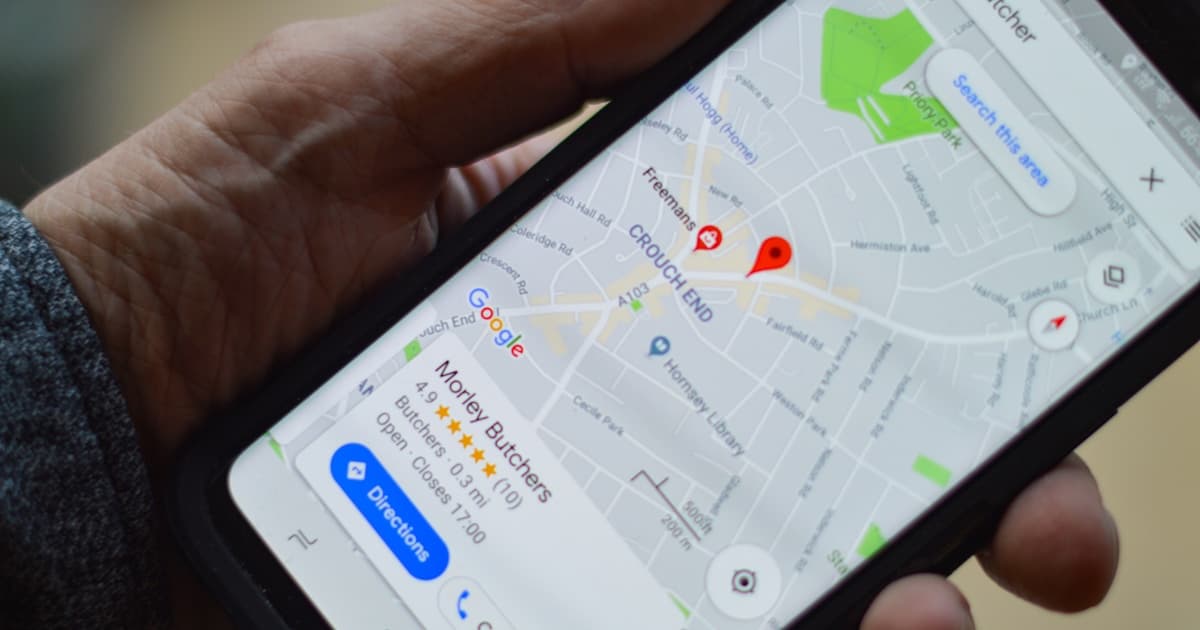
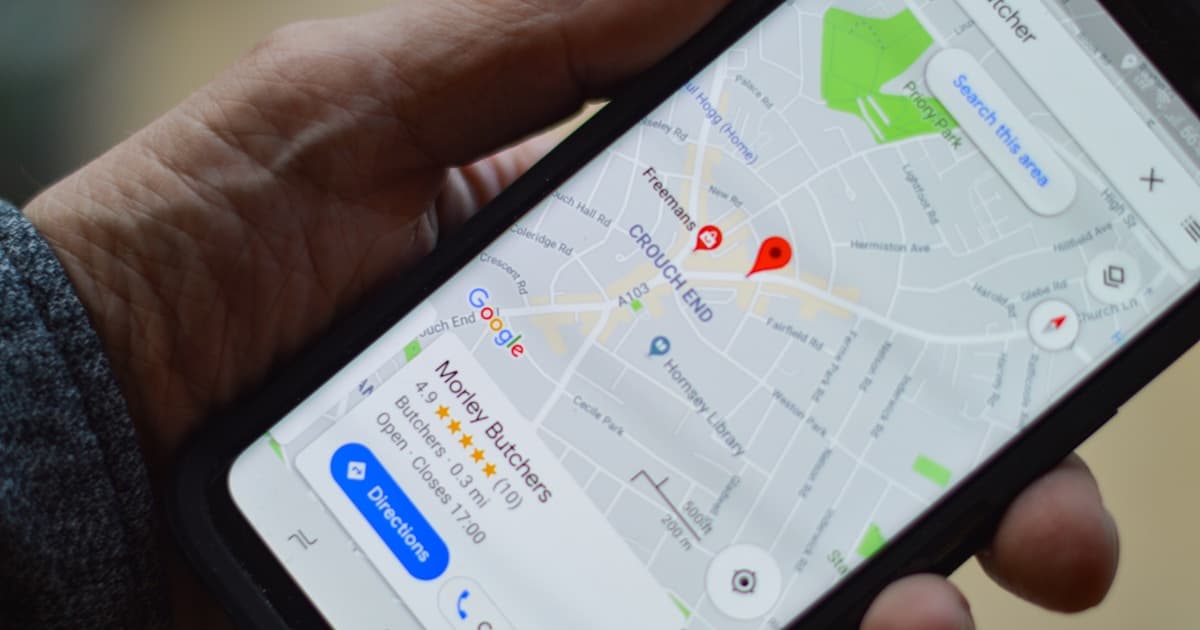
Open Google and search for your service + your city. "Plumber in Manchester", "hair salon in Bristol", "Italian restaurant in Edinburgh". The first thing that shows up isn't a website. It's a map with three highlighted businesses.
That's Google's local pack. And if your business isn't there, you're losing customers every single day.
46%
of all Google searches have local intent. Nearly half of people are looking for something near them
Local SEO isn't an abstract concept. It's the difference between a customer walking into your business or into the one next door.
What is local SEO and how is it different from "regular" SEO?
Traditional SEO ranks your website for general searches: "how to bake a chocolate cake", "best laptop 2026". You compete with everyone.
Local SEO ranks your business for geographically-driven searches: "bakery near me", "dentist in Birmingham", "mechanic open now". You only compete within your area.
Here's the key: local searches convert far more. Someone searching "locksmith near me" at 11 PM isn't doing research — they need a locksmith right now.
78%
of local mobile searches result in an offline purchase within 24 hours
The 4 factors that determine your local ranking
Google decides which businesses to show in the local pack based on four factors. It's not magic — it's an algorithm you can influence:
1. Relevance — do you match what they're searching for?
Google needs to understand what you offer to determine if you're relevant to a search. This is determined by:
- Your Google Business category — if you're a Japanese restaurant, your primary category should be "Japanese restaurant", not just "Restaurant".
- Your website content — service pages, descriptions and content help Google understand your business.
- Keywords in your listing — the description, services and products you list in Google Business Profile.
2. Distance — are you close to the user?
Google knows where the user is (via GPS on mobile, IP on desktop) and prioritises nearby businesses. You can't change this, but you can make sure your address is correct and your service area is properly configured.
3. Prominence — are you well-known?
Google measures your business's "importance" in several ways:
- Reviews — quantity, average rating and frequency. A business with 200 reviews at 4.7 stars beats one with 10 reviews at 5 stars.
- Links and mentions — other websites talking about you (directories, local press, blogs).
- Web presence — having a professional website with relevant content. If you don't have one yet, here's why you need it.
4. NAP consistency — is your information the same everywhere?
NAP = Name, Address, Phone. Google cross-references this information across your website, listing, directories, social media and any online mention. If there are inconsistencies, it loses trust.
Classic mistake
"15 High Street" on your website, "15, High St." on Google Business, and "15 High St" on Yell. To you it's the same thing. To Google, these are three different addresses. Pick one format and use it EVERYWHERE.
Google Maps: your most important shopfront
For most local businesses, Google Maps generates more visibility than their own website. Here's how it works:
Optimise your Google Business Profile
We've already written a complete Google Business Profile guide. If you haven't read it, start there. The critical points for local SEO:
- Primary category as specific as possible — "Physiotherapy clinic" > "Health centre".
- 750-character description naturally incorporating local keywords. "Dental clinic in central Manchester specialising in invisible braces and cosmetic dentistry".
- Real, up-to-date photos — at least 10, including your shopfront (helps Google link your listing to Street View).
- Always accurate opening hours — including bank holidays. A customer who shows up to find you closed = 1-star review.
- Weekly posts — news, offers, events. Keeps the listing active and Google values this.
"Near me" searches are exploding
"Near me" searches have grown 500% in recent years. "Pharmacy near me", "petrol station near me", "vet near me". Google resolves these with the local pack.
To appear in these searches, you don't need to put "near me" on your website. Google uses the user's location automatically. What you do need is a perfectly optimised listing and a website that mentions your location naturally.
7 concrete actions to improve your local SEO
1. Audit your current online presence
Search for your business name on Google. What appears? Is the information correct? Do you have a Google Business listing? Are the reviews recent? This snapshot tells you where you stand.
2. Claim and optimise your Google Business Profile
If you haven't done it, do it today. It's free and it's the number one factor in local SEO. Follow our step-by-step guide.
3. Unify your NAP everywhere
Check your website, Google Business, social media, directories (Yell, Yelp, TripAdvisor, industry directories). The name, address and phone number must be identical across all of them. Same format, same punctuation, same everything.
4. Get reviews consistently
It's not about getting 50 reviews at once and then nothing. Google values frequency. Set up a system: after each completed service, send the review link by text or email. Make it easy — one tap.
5. Create local pages on your website
If you serve multiple areas, create a page for each one. "Plumbing in Camden", "Plumbing in Islington". Each page with unique content, not copy-paste with just the area name swapped.
6. Get local links
Your chamber of commerce directory, business associations, local blogs, sponsorships of neighbourhood events. Local links carry more weight than generic ones for local SEO.
7. Optimise your website for mobile
76% of local searches are done on mobile. If your site takes more than 3 seconds to load or doesn't look good on a phone, you lose. We've explained in detail why your website speed is costing you customers and why responsive design is essential.
Mistakes that destroy your local SEO
Stuffing keywords in your business name
"Pérez Plumbing — Emergency Plumber 24h London Cheap" as your Google Business name. Google detects it, penalises you, and you can lose your listing. Your real business name. Full stop.
Buying fake reviews
Google has algorithms to detect fake reviews. If caught, they remove the reviews and penalise your listing. Plus, customers notice generic "excellent service, highly recommended" reviews all posted on the same day.
Ignoring negative reviews
Not responding to a negative review is worse than the review itself. It shows you don't care. Always respond professionally, acknowledge the issue if it's real, and offer a solution.
Having outdated information
2024 opening hours, old phone number, previous address. Every incorrect detail is a lost customer and a negative signal to Google.
Local SEO is the most cost-effective way to attract customers for any business with a physical location. You don't need a huge budget — you need consistency, a flawless listing, and a website that converts visitors into customers.
Local SEO + professional website = the winning combination
Your Google Maps listing grabs attention. Your website closes the sale. Without an optimised listing, nobody finds you. Without a professional website, nobody trusts you enough to get in touch.
It's a cycle: your listing drives visits to your website, your website builds trust, trust generates enquiries, enquiries generate customers, satisfied customers leave reviews, reviews improve your Maps position. And round it goes.
If you'd like us to analyse your local presence and tell you exactly what to improve, we'll audit it for free. Within 24 hours you'll know where you stand and what you need to do to appear in your area's local pack.